

How do bullet points and line breaks/carriage returns entered on ERAS appear on the Program Director's WorkStation?

Started by MDScribe
Tags Tags
eras
This forum made possible through the generous support of SDN members, donors, and sponsors. Thank you.
Get help with your application

Use all the free resources available to you from SDN: articles, guides, expert advising, forums discussions, and school research.

MDScribe

Full Member
7+ Year Member
Advertisement - Members don't see this ad
I would love some specific guidance on how the information entered on ERAS appears to residency PD's. For example, how do bullet points and line breaks appear once the application is submitted? When I did a test and clicked View/Print MyERAS Application, the dummy text displayed very nicely. But if on the other side of things, line breaks and bullet points get removed, then things might look crazy.

Thanks!
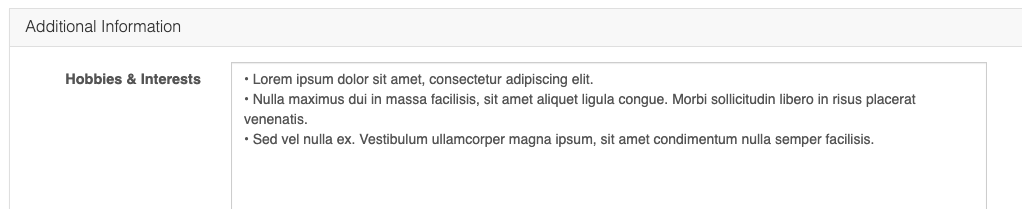
Screen Shot 2020-10-11 at 6.36.32 PM.png


Screen Shot 2020-10-11 at 6.36.40 PM.png
 
When you submit it will give you a preview. You can click submit and then back out from the preview to see what it looks like on the other end.
 
I would also like the answer to this question. What you get in certify/submit preview verses what you get in view/print application is so different if you used bullet points or dashes
 
Advertisement - Members don't see this ad

